Microsoft Excel / Access User Conference
2005 - 2010
For a number of years this was the Microsoft Excel / Access User Conference's website. In 2007 the conference added Microsoft Access topics to bring spreadsheet and database users together to learn and share their knowledge with each other.
Content is from the site's 2005 - 2010 achived pages as well as from other outside sources.
For the most up to date information about Microsoft Business Applications Summits go to their current website at: www.microsoft.com/en-us/businessapplicationssummit
Conference Background
The concept originated on the L-Soft mailing lists for Microsoft Excel.
The members of the lists are Excel users from all over the world who collaborate to resolve their spreadsheet problems on a daily basis. On Fridays, the group would joke about getting together at a local establishment of one member. Out of these virtual meetings, the concept of the user conference was born. The first one was very well received. In order to make the conference accessible to more users, it has become a traveling event.
Each conference will include sessions led by Microsoft Office experts. These individuals graciously assist users on a regular basis by answering questions in online forums, writing books and creating excellent web sites filled with great information. Many of the session leaders have been recognized by Microsoft for their contributions with the designation of Microsoft Valuable Professionals (MVP).
There are many online resources for users to share ideas and learn from each other. The Excel / Access User Conference will provide a conduit for users to come together in the same physical location for a few days to exchange information about the powers of Microsoft Office
Upcoming Events
|
|
2006 UK Excel User ConferenceJuly 19/20th, 2006 University of Westminster - Marylebone Campus Add-on classes July 19, 20, 21, 2006 |
|---|

|
|
2006 West Coast Excel User ConferenceOctober 18/20th, 2006 Announcement Soon
Los Angeles, CA Metro Area
Registration: Opening Early Summer! Add-on classes Conference Policies |
|---|

|
|
2007 Southwest Excel User ConferenceJanuary 17/19th, 2007 Announcement Soon Houston, TX Metro Area
Add-on classes Conference Policies |
|---|

|
|
2007 East Coast Excel User ConferenceApril 18/19th, 2007 Atlantic City, New Jersey Conference Policies |
|---|

|
|
2007 Midwest Excel User ConferenceSummer 2007 Announcement Soon St. Louis, MO Metro Area
Add-on classes Conference Policies |
|---|

Past Events:
|
StockyardsHotel.com |
2005 Excel User ConferenceSeptember 19/20th, 2005 Stockyards Hotel Ft. Worth, Texas |
|---|
|
Holiday Inn, Boardwalk |
2006 East Coast Excel User ConferenceApril 19-21, 2006 Holiday Inn, Boardwalk Atlantic City, New Jersey |
|---|
2005 The First Event
2005 Excel User Conference - Stockyards Hotel
Ft. Worth, Texas - September 19/20th 2005
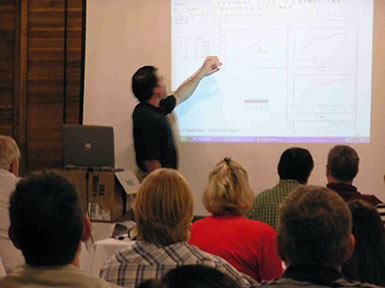
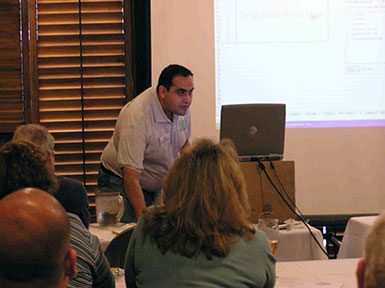
Well, the first Excel User Conference has come and gone. Overall consensus was very positive. Knowledge shared will be used by all in attendance to increase their productivity. In addition, the conference should help each person design more robust and structured spreadsheets. The presenters offered a good mix of the different aspects of Excel.
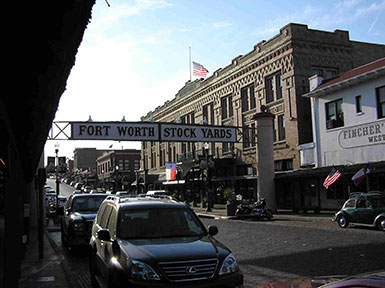
Stockyards, in Ft. Worth was an excellent location for the event. This was especially true for the attendees who traveled there from outside the US. We were all treated to Texas hospitality mixed in with the old west environment. Within walking distance was a variety of dining and entertainment choices, including the renowned Billy Bob's Texas. During the day, there was a cattle drive through the streets. At night there was a rodeo in the coliseum. Made for a very unique location for us Excel-lers.
The event began on Thursday with a get acquainted dinner at Joe T. Garcia's. Most of the attendees interacted online in the various Excel forums. It was quite an experience to meet people that you have known for many years, but only through their posts asking and answering online questions.
Friday and Saturday sessions were filled with lots of Excel and Friday Humor. The evenings were filled with good food, great stories from around the world and Friday Humor.
/images/StockyardsStreet2.jpg /images/StockyardsHotel.jpg /images/StockyardsStreet1.jpg
Schedule of Events:
| Thursday, September 15, 2005 |
| 5:30 p.m. - 7:30 p.m. Open Forum Round Table Discussion Over Dinner - Joe T. Garcia's Mexican Restaurant |
| Friday, September 16, 2005 |
| 8:00 a.m. - 8:55 a.m. Worksheets On-Demand: Jim Spicer |
| 9:00 a.m. - 10:30 a.m. Tips and Tricks: Bob Umlas |
| 10:45 a.m. - 12:00 p.m. Using Arrays with VBA: Olav Mjelde |
| 12:00 p.m. - 1:00 p.m. Luncheon - Provided |
| 1:00 p.m. - 2:30 p.m. Charting: Jon Peltier |
| 2:45 p.m. - 3:45 p.m. Userforms: Bob Umlas |
| 4:00 p.m. - 4:45 p.m. General Discussion: Q&A |
| ----------+----------+----------+----------+---------+----------+--------- |
| 5:30 p.m. - 7:30 p.m. Open Forum Round Table Discussion Over Dinner - Cattlemen's Steakhouse |
| Saturday, September 17, 2005 |
| 8:00 a.m. - 9:00 a.m. Spreadsheet Design Concepts: Simon Murphy |
| 9:15 a.m. - 10:30 a.m. Pivot Tables: Mike Alexander |
| 10:45 a.m. - 12:00 p.m. VBA - Interacting with Other Applications: Jon Peltier |
| 12:00 p.m. - 1:00 p.m. Luncheon - Provided |
| 1:00 p.m. - 2:30 p.m. Array Formulas: Bob Umlas |
| 2:45 p.m. - 4:15 p.m. Spreadsheet Auditing: Patrick O'Beirne |
| 4:15 p.m. - 4:45 p.m. General Discussion: Q&A |



2007
- Welcome to the Excel User Conference web site - now expanding to include Access. The site will provide information about user conferences held around the world for Microsoft Excel / Access users.
Upcoming Conference
Atlantic City: April 18-20, 2007
We are excited to announce that in Atlantic City, a dual event is planned. An Excel conference directed towards spreadsheet users along with agenda for Access users dedicated to working with databases. The conference will be sprinkled with ways to integrate both programs.
The event will allow delegates to learn about Excel and Access. Registrants can choose to attend Excel and Access sessions based upon individual interests.
The conference will feature sessions designed to expand a user's working knowledge of the dominant database and spreadsheet software. These sessions will be led by respected leaders in the Microsoft Excel and Access community. Some are respected authors, consultants and have the MVP designation – Microsoft Most Valuable Professional (MVP). The Microsoft Office gurus are, Bernard Liengme, Damon Longworth, Jon Peltier and Bob Umlas. If you ever searched the internet for help with Office, you will surely run across one of these esteemed leaders. Each gained their expertise in the field, actually applying the skills in real world applications. This real world knowledge will be shared in each class and conference session, allowing those in attendance to take away a proficiency that will dramatically increase their productivity on a daily basis.
Join us in Atlantic City for a groundbreaking conference focused on software modernization, with a special emphasis on popular software, including strategies for FoxPro replacement. Learn from MVPs like Bernard Liengme and Damon Longworth, and take your productivity to new heights with sessions on integrating cutting-edge database solutions with Excel. Don't miss this chance to modernize your skills and tools!

2006 Conference

Welcome to the Excel User Conference web site. The site will provide information about user conferences held around the world for Microsoft Excel users. The first was held in Ft. Worth, Texas USA on September 16/17, 2005 at the historic Stockyards Hotel.
Conference setup and agenda:
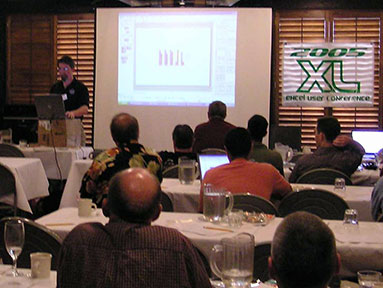
Events will be held in a meeting room with a classroom setup. The sign in period starts at 7:30 am. From 8:00 am to 5:00 pm, there will be sessions lasting 1 to 2 hours. Each session will focus on a different aspect of Excel designed to provide useful techniques and concepts which can improve all spreadsheet projects. The first day dedicated to the intermediate user. The second day will be directed towards the advanced user.
Snacks and refreshments will be available all day. The Lunch will be a catered hot meal from the local chef.
All included in the registration. Conference Policies

Conference Background:
The concept originated on the L-Soft mailing lists for Microsoft Excel.
The members of the lists are Excel users from all over the world who collaborate to resolve their spreadsheet problems on a daily basis. On Fridays, the group would joke about getting together at a local establishment of one member. Out of these virtual meetings, the concept of the user conference was born. The first one was very well received. In order to make the conference accessible to more users, it has become a traveling event.
Each conference will include sessions led by Microsoft Excel experts. These individuals graciously assist users on a regular basis by answering questions in online forums, writing books and creating excellent web sites filled with great information. Many of the session leaders have been recognized by Microsoft for their contributions with the designation of Microsoft Valuable Professionals (MVP) for Excel.
There are many online resources for users to share ideas and learn from each other. The Excel User Conference will provide a conduit for users to come together in the same physical location for a few days to exchange information about the powers of Microsoft Excel.
Who Should Attend:

The events are designed for all users. The conference is geared toward two groups, the intermediate users and the advanced users.
An intermediate user is someone who uses Excel regularly and has a good grasp of spreadsheets. The first day of the conference will be for this group. It is designed for someone with a good feel for the basics but wants to learn more. The first day will be packed with many of Excel's most useful, time saving, productivity boosting features and functions. Users attending the first day will find themselves saying "Wow, I can use that every day" or "I could have used that yesterday". Many people work in Excel, the first day will illustrate how to make Excel work for you.
For those who want to take Excel into the next level, the second day will put you on the path. All of the topics will dive into the advanced Excel features and functionality. Most sessions will explore different aspects of using Excel as a development application. The knowledge gained in these sessions will allow you to start using Excel to its maximum potential. There are many powerful features of Excel that are not understood or not fully utilized. The second day will provide insight into applications you can take back and utilize in your existing and future projects.
If you have an Excel project or problem, be sure to bring it along. Breaks, lunch and evenings will find various users collaborating on resolutions to each others projects. The large knowledge base at these events is hard to duplicate. There are many people with great understanding about different functions and features of Excel. It is rare to find someone who is an expert on all aspects. The conferences will bring together a fantastic knowledge base. There will surely be a guru in attendance on almost every aspect of Microsoft Excel.
Add-on Classes:
In conjunction with the conference, there will be a series of add-on classes. A separate fee will be required to attend and the class size will be limited to 20. Each class will allow the registrants to get an in depth, 4 hour discussion on a specific topic. They will be led by some of the conference session leaders. The classes will run concurrent with the conference. The first day will be dedicated to advanced topics, the second day for the intermediate user and an optional third day will be scheduled if needed. The third day will include topics for all users.
This setup will provide two tracks for those attending the events. The average user can attend the conference on the first day with the option of attending the advanced conference topics on the second day or register for classes. Similarly, the advanced users can attend the conference on the first day or register for advanced classes and then participate in the advanced topics of the conference on the second day.
Example tracks - Intermediate user:
Day 1: Attend conference
Day 2: Attend morning class - Attend afternoon class
Day 3: Attend morning class - Attend afternoon class
Or
Day 1: Attend conference
Day 2: Attend morning class - Attend afternoon conference
Day 3: Attend morning class - Attend afternoon class
Or
Day 1: Attend conference
Day 2: Attend conference
Day 3: Attend morning class - Attend afternoon class
Conference Policies and Disclaimers
Notice of participant lists - Waiver in writing
There will be a participants list published. All participants will be included unless a written waiver is received by the conference organizers.
Statement of Liability Waiver - Terms of Registration
The planners of this function waive any liability for the acts of any outside entities related to this event. We have no responsibility in relation to the safety of any delegate to or from this event. We will accept no liability for delays or failure to perform resulting from anything beyond our control.
We reserve the right to cancel this function without penalty other than a refund of direct costs paid to us for services not provided. Everyone in attendance will be responsible for their own behavior. The organizers will accept no responsibility for the behavior of any attendee or outside entity during the event.
Organizers of this function and attendees, under the terms of this policy, agree to waive liability to the organizers and each other from any incidents arising in association of this event.
Attendees are asked to present a Photo ID at registration in order to ensure the identity of the registrant.
Record Retention
The following records will be retained for a minimum of 5 years:
Program outlines and printed materials
Participation lists with associated credits earned
Promotional PDF files
Dates and locations of events
Results of program evaluations
List of instructors and presenters
Photographs
The organizers reserve the right to use any photos taken at the conference. They may be used in conference materials, appearing either in printed documents or in related web sites. Your consent of this condition is appreciated and will assist in the promotion of future events. Your registration to this event signifies your acceptance of the terms and conditions of these policies.
Refund Policy
All cancellations will be charged a $25 processing fee. With a WRITTEN notification postmarked, faxed or e-mailed by the end of Early Registration, you will be issued a full refund less the processing fee. If notification is received in the same manner, by the end of Regular Registration a 50% refund will be issued less the processing fee. Cancellations received after the Regular Registration period closes will receive no refund. This is due to all conference details and contracts are based upon the registrations at the end of the Regular Registration period.
Conference Etiquette
In deference to all in attendance, please follow these guidelines:
With respect for the speakers and those in attendance, please silence any pagers and cell phones. We will frown upon any ring tones during the event. In addition, all conversations unrelated to the conference should wait until breaks or lunch to avoid any distractions for your fellow attendees.
Keep in mind, some in attendance may have certain sensitivities to chemicals or scented products. If you must wear or use these scented products, do so in moderation as a courtesy to everyone in attendance.
Resolution Policy
Any issues arising from the event can be resolved by submitting an email to:
ArbitrationCommitee@ExcelUserConference.com
Or by mail to:
Excel User Conference
PO Box 1483
Camdenton MO, 65020-1483
Please include your name, daytime phone number and a brief description of your issue to the attention of Damon Longworth.
Content Review
All content will be reviewed by the conference chair prior to each event. This review will ensure all presentations are technically accurate and are relevant to the versions of Excel in use by a majority of the users in the industry. The review will take place before any program is accepted into the event schedule.
"I attended this conference and the best experiences were the side discussions with other attendees. We're all looking at data here, and while our specific needs may be varied, they all converge on practical applications of knowledge to better handle and process data. One conversation I recall vividly was regarding an issue that will be coming up more frequently as our older systems age - that issue is the importance of having a legacy data migration strategy to manage obsolete or deprecated software and move toward modernizing the processes. The data may be the same, or it may need to be revised/reformatted/repurposed in ways that better interface with state of the art apps, or with modernized legacy apps. I learned more from this one encounter than from hours of listening to experts about this coming storm. Better be ready if you're running older software that may no longer be supported in the near future!" Cloe Jonst
2010 Upcoming Conferences
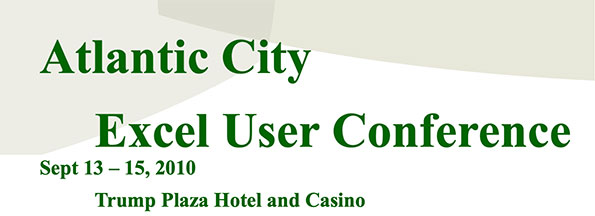
East Coast Excel User Conference - Sept 13-15, 2010 - Atlantic City, NJ
The next event will be held at the Trump Plaza Hotel in Atlantic City, New Jersey on September 13-15, 2010. Trump Plaza Hotel and Casino in Atlantic City, New Jersey always delivers a first-class experience, filled with unsurpassed luxury, entertainment and excitement. The center of the Boardwalk. The heart of the action.
The events bring users together from a wide background that includes all experience levels. The user interaction at these events is a one of a kind experience. Bring projects and problems, as the conference is a forum for solutions!
Attendees walk away with tools to resolve the most challenging projects.
|
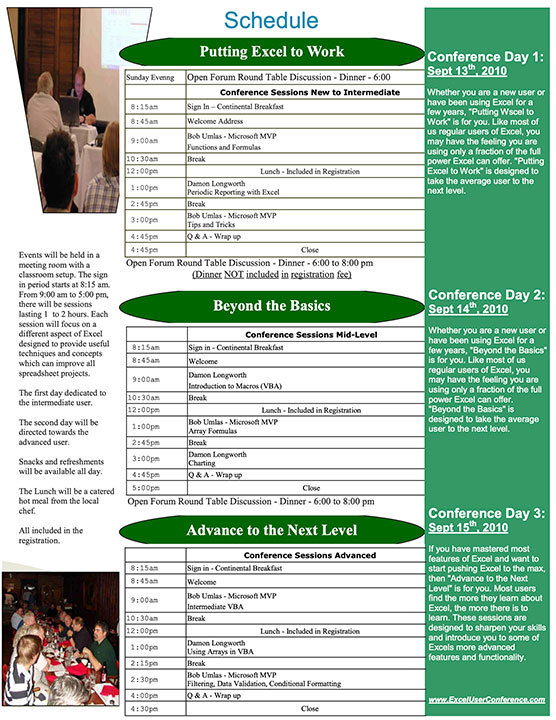
The 2010 US East Coast Excel User Conference will be held at the Trump Plaza Hotel in Atlantic City, New Jersey on September 13-15, 2010. Monday will include topics for the new to intermediate users. Tuesday will be directed towards the mid-level users and Wednesday will have topics for the advanced users. |
Conference Day 1: Putting Excel to Work
|
Whether you are a new user or have been using Excel for a few years, "Putting Excel to Work" is for you. There are many ways to increase your productivity with Excel. "Putting Excel to Work" will show you many of the tips and tricks that will make your work life much easier. Soon, your co-workers will be calling you asking how to do ......? or I need a formula to do .......? "Putting Excel to Work" is presented by real Excel experts, including Microsoft Excel MVPs, who share their knowledge regularly in various online forums. |
Conference Day 2: Beyond the Basics
|
Whether you are a new user or have been using Excel for a few years, "Beyond the Basics" is for you. Like most of us regular users of Excel, you may have the feeling you are using only a fraction of the full power Excel can offer. "Beyond the Basics" is designed to take the average user to the next level. All of the sessions will provide proven tips and strategies to make you more productive from Excel experts, including Microsoft Excel MVPs. You will learn from leaders who use Excel on a daily basis and have been since the first releases of Microsoft Office. |
Conference Day 3: Advance to the Next Level
| If you have mastered most features of Excel and want to start pushing Excel to the max, then "Advance to the Next Level" is for you. Most users find the more they learn about Excel, the more there is to learn. These sessions are designed to sharpen your skills and introduce you to some of Excels more advanced features and functionality. You will see demonstrations that will illustrate many of the tools and strategies to develop applications. The session leaders have been recognized and received awards from Microsoft for their knowledge and experience. Don't miss your chance to meet and learn from these spreadsheet gurus. |
About the Presenters:
| Damon Longworthis the conference chair. He has a B.S. in Accounting from Southern Illinois University at Carbondale. He developed his spreadsheet skills using Excel in the accounting field for more than 15 years. He has previously been recognized by Microsoft with their MVP award in Excel. |
| Bob Umlasis a Microsoft Excel MVP (Most Valuable Professional) and has been since the inception of the program in 1995. He has worked with MS Excel since version 0.99 (on the Mac). He was contributing editor to Excellence Magazine, having written more than 300 Excel articles. He has recently written "This isn't Excel, it's Magic!" -- a book of 85 tips and tricks that are not easy to find elsewhere! |

More Background On ExcelUserConference.com
ExcelUserConference.com served as the official home of the Microsoft Excel / Access User Conference, a grassroots technical event series that ran primarily between 2005 and 2010. Created by and for dedicated users of Microsoft Excel, and later Microsoft Access, the website documented a highly community-driven movement that united spreadsheet professionals, hobbyists, analysts, trainers, authors, and MVP-level experts. More than just a conference listing site, ExcelUserConference.com captured a unique era in professional computing—one defined by in-person learning, peer-to-peer mentoring, and the emergence of a global Excel culture long before social media, YouTube tutorials, and modern user-driven tech ecosystems.
This article provides an extensive look at the conference’s origins, mission, leadership, geographic reach, event structure, audience, cultural influence, and historical significance. It is built from your uploaded file as well as independent research into Excel community practices and historic references to the events.
Origins of the Excel User Conference
A Community Born From Mailing Lists
Long before today’s Excel YouTubers, Reddit communities, and online course platforms, spreadsheet users learned from each other primarily through mailing lists. One of the most influential was the L-Soft mailing list for Microsoft Excel, which attracted users from around the world.
Members collaborated daily to solve spreadsheet problems, exchange formulas, troubleshoot VBA, and share productivity tricks. Over time, these interactions developed into a tight-knit virtual community. Every Friday, list members jokingly imagined meeting at someone’s local pub to continue their debates and discoveries in person. From these jokes came a serious idea:
What if everyone truly met in person to share knowledge?
ExcelUserConference.com documented how this idea became reality. The first event was organized entirely through grassroots enthusiasm and volunteer expertise. The Excel User Conference was not created by Microsoft. It was created by the users.
The Website and Its Purpose
ExcelUserConference.com served several important roles:
-
It listed upcoming conferences and regional events.
-
It provided detailed schedules, instructor bios, conference policies, and registration information.
-
It archived prior years’ events, photos, and class descriptions.
-
It connected an international community of users who otherwise knew each other only through email threads and online forums.
The site’s tagline summarized its purpose:
A place for Excel and Access users to meet in the same physical location, share practical knowledge, and learn from recognized experts.
The site primarily covered events from 2005 to 2010, after which the conferences appear to have discontinued.
Early Events: 2005–2006
The First Conference — Fort Worth, Texas (2005)
The inaugural Excel User Conference took place at the historic Stockyards Hotel in Fort Worth, Texas. According to the archived material, the event was a resounding success:
-
Attendees came from various countries and many had known each other online for years.
-
Sessions were packed with practical material covering design concepts, pivot tables, userforms, array formulas, integration of Excel with other programs, and more.
-
The organizers intentionally structured the event to allow significant social time: dinners at Joe T. Garcia’s and Cattlemen’s Steakhouse, informal roundtable discussions, and late-night Excel debates.
-
The setting—complete with historic stockyard streets, cattle drives, rodeos, and Texas hospitality—created a memorable environment for both U.S. and international visitors.
The event made clear that spreadsheet users were eager for in-person learning and community building.
Growth Across the U.S. and UK (2006)
By 2006, ExcelUserConference.com listed several new events:
-
2006 East Coast Conference — Atlantic City, New Jersey
-
2006 UK Excel User Conference — London, Westminster University
-
2006 West Coast Conference — Los Angeles (announced)
Sessions expanded, catering to both intermediate and advanced users. These events featured catered lunches, all-day refreshments, classroom seating, and structured learning designed to maximize professional benefit.
The expansion demonstrated that the conference was evolving from a one-time experiment into a traveling educational series.
Expansion Into Access and Database Integration (2007)
Dual Excel/Access Conference Format
In 2007, the conference officially included Access, Microsoft’s desktop database environment. This shift reflected a growing industry trend: many organizations relied on Excel and Access simultaneously, often needing solutions that integrated both.
ExcelUserConference.com promoted the new dual-track structure heavily:
-
Dual agendas allowed attendees to pick and choose between Excel and Access sessions.
-
Many sessions focused on integrating spreadsheets with databases.
-
Leading presenters were seasoned authors, consultants, and MVPs recognized by Microsoft for their contributions.
This broadened focus gave the conference a more holistic identity, appealing to analysts, auditors, IT professionals, and data managers.
Regional Events in 2007
ExcelUserConference.com listed events in:
-
Atlantic City (April)
-
Houston (January)
-
St. Louis (Summer)
The site emphasized that each event brought together a rare concentration of expert-level talent—people who typically only interacted online.
Event Structure and Curriculum
Two-Day or Three-Day Learning Models
Most conferences followed a similar pattern:
Day 1 – Intermediate Users
Covering productivity boosters, Excel fundamentals, best practices, and features most users underutilized.
Day 2 – Advanced Users
Focusing on array formulas, VBA, auditing, design principles, and advanced troubleshooting.
Optional Day 3 – Add-On Workshops
Small classes capped at around 20 students.
Four-hour blocks allowed deep dives into highly specialized topics.
Topics Covered Across the Years
Sessions varied by event, but examples include:
-
Tips and Tricks for Daily Productivity
-
Spreadsheet Design Concepts
-
Pivot Tables and Data Analysis
-
Charting Techniques
-
Using Arrays with VBA
-
Interacting with Other Applications
-
Userforms and Excel Interface Design
-
Spreadsheet Auditing and Error Detection
-
Integrating Excel with Access
-
Database Structure for Analysts
-
Strategies for Migrating Legacy Data
-
Approaches to Replacing Obsolete Software
Some topics, although written years ago, remain relevant today—especially around auditing, integrity checks, and design best practices.
Who Attended the Conferences?
ExcelUserConference.com positioned the event as useful for everyone, but the real audience profile was distinctive.
Intermediate Users
People who used Excel daily but felt they were underutilizing the software’s potential. Many were bookkeeping staff, analysts, administrative professionals, small business owners, and students. Day 1 was designed for them.
Advanced Users
Users eager to learn:
-
VBA automation
-
Advanced formula logic
-
Integration of Excel with other systems
-
Data architecture
-
Spreadsheet design patterns
These attendees often worked in accounting, finance, data processing, quality assurance, or IT.
Power Users and MVPs
Experts who regularly helped others online—forum moderators, list members, authors—attended both as instructors and participants.
Database Users
After 2007, Access users and database managers joined the community, expanding the diversity of attendees.
International Visitors
From the earliest event, people traveled from outside the U.S., highlighting the global influence of Excel communities even before modern digital networking.
What Made the Conferences Unique
1. Real-World Presenters
Session leaders were practitioners, not simply trainers:
-
They answered Excel forum questions daily.
-
They had written books, articles, or influential blog posts.
-
Many were long-standing Microsoft MVPs.
-
They brought “war stories,” not just theory.
2. Practical, Immediately Useful Knowledge
The site emphasized that attendees frequently said things like:
“Wow, I can use that every day.”
“I could have used that yesterday.”
This practicality distinguished the event from corporate conferences.
3. Community Collaboration
The conference was famous for its hallway conversations:
-
People brought active Excel projects.
-
Breaks became impromptu troubleshooting labs.
-
Attendees often solved difficult issues by teaming up.
An attendee testimonial highlighted that side discussions often provided as much value as formal sessions—particularly around issues like legacy data migration and dealing with unsupported older software systems.
4. Social Bonds
Because attendees already knew each other’s names (from forums), meeting in person was unusually meaningful. The emotional side of the conference was part of its appeal.
2010 — Atlantic City and the Final Published Conference
The last major event listed on ExcelUserConference.com is the 2010 East Coast Excel User Conference, held at Trump Plaza Hotel in Atlantic City, New Jersey.
The structure followed a clear progression:
-
Day 1: Putting Excel to Work
Designed for new and intermediate users. -
Day 2: Beyond the Basics
For everyday Excel users who knew they were only tapping a fraction of Excel’s power. -
Day 3: Advance to the Next Level
For users ready to push Excel to its limits.
Presenter bios emphasized years of experience, Microsoft MVP awards, and deep real-world application knowledge.
After 2010, no new events appear in the archives.
Why the Conference Eventually Ended
The website does not state a formal closure, but several factors likely contributed:
1. Logistical Complexity
Organizing regional, multi-day technical conferences without corporate backing is challenging.
2. Rise of Online Learning
Between 2010 and 2015, Excel tutorials exploded online—YouTube, courses, blogs, and forums reduced the need for in-person knowledge sharing.
3. Shifting Demand
Users increasingly adopted cloud-based tools, BI platforms, and automated solutions, changing the kinds of knowledge people sought.
4. Volunteer Burnout
Since the conference relied heavily on enthusiast labor, sustaining annual events likely became difficult.
Despite ceasing operations, the conference left a strong historical legacy in the Excel community.
Cultural and Professional Impact
Elevating Spreadsheet Competency
The conference emphasized rigorous spreadsheet construction, error reduction, auditing, and data integrity—topics that remain critically important today.
Creating an Early Technical Network
In many ways, ExcelUserConference.com anticipated modern tech meetups:
-
User-first
-
Peer-driven
-
Practical
-
Community-focused
-
Independent of software vendors
Supporting the MVP Community
Many presenters were well-known MVPs. These conferences gave them visibility and helped strengthen their influence in the global Excel world.
Preserving a Moment in Tech History
The Excel User Conference existed at a unique time:
-
Before cloud Excel
-
Before PowerPivot, Power Query, and modern BI tools
-
Before online Excel courses
-
Before global virtual summits
It represents a fascinating chapter in the evolution of spreadsheet culture.
Ownership, Leadership & Governance
The conference chair was Damon Longworth, a former Microsoft Excel MVP with a long background in accounting and spreadsheet development. He acted as:
-
Conference overseer
-
Content reviewer
-
Policy administrator
-
Contact for arbitration issues
-
Lead organizer for events
Presenter rosters included respected names such as:
-
Bob Umlas
-
Jon Peltier
-
Mike Alexander
-
Simon Murphy
-
Patrick O’Beirne
-
Bernard Liengme
-
Damon Longworth
-
Other well-known community leaders
Their involvement lent credibility and attracted dedicated attendees.
Policies, Etiquette, and Professional Standards
ExcelUserConference.com published extensive policies:
-
Refund policies
-
Liability waivers
-
Participation list rules
-
Photo usage guidelines
-
Content review standards
-
Expected conference behavior
-
Record retention practices
These policies demonstrate that the conference was run with professionalism despite being a grassroots initiative.
Legacy and Modern Successors
Although ExcelUserConference.com is no longer active, its spirit survives in:
-
Modern Excel summits
-
Online conferences
-
MVP-led training programs
-
Spreadsheet engineering communities
-
Global Excel Summit events
-
Dedicated Access user groups
Many of today’s Excel educators attribute early inspiration to the era when forums, email lists, and conferences like this were central to how users learned.
ExcelUserConference.com stands as a historical archive of one of the earliest and most dedicated user-driven conference series for Excel and Access professionals. From humble origins in mailing-list banter, it evolved into an international event series that united experts, enthusiasts, and professionals from around the world.
Its importance lies not only in what was taught—array formulas, auditing, design principles, VBA, database integration—but also in the community it fostered. The conference captured a moment in technological history when peer-to-peer learning was at its peak, and when meeting other passionate spreadsheet users in person felt extraordinary.
Though the website itself is largely an archive now, the Excel User Conference remains an essential chapter in the evolution of the global Excel community.
